Changelog
Changelog
New updates and improvements to Trackr.
v1.1.1
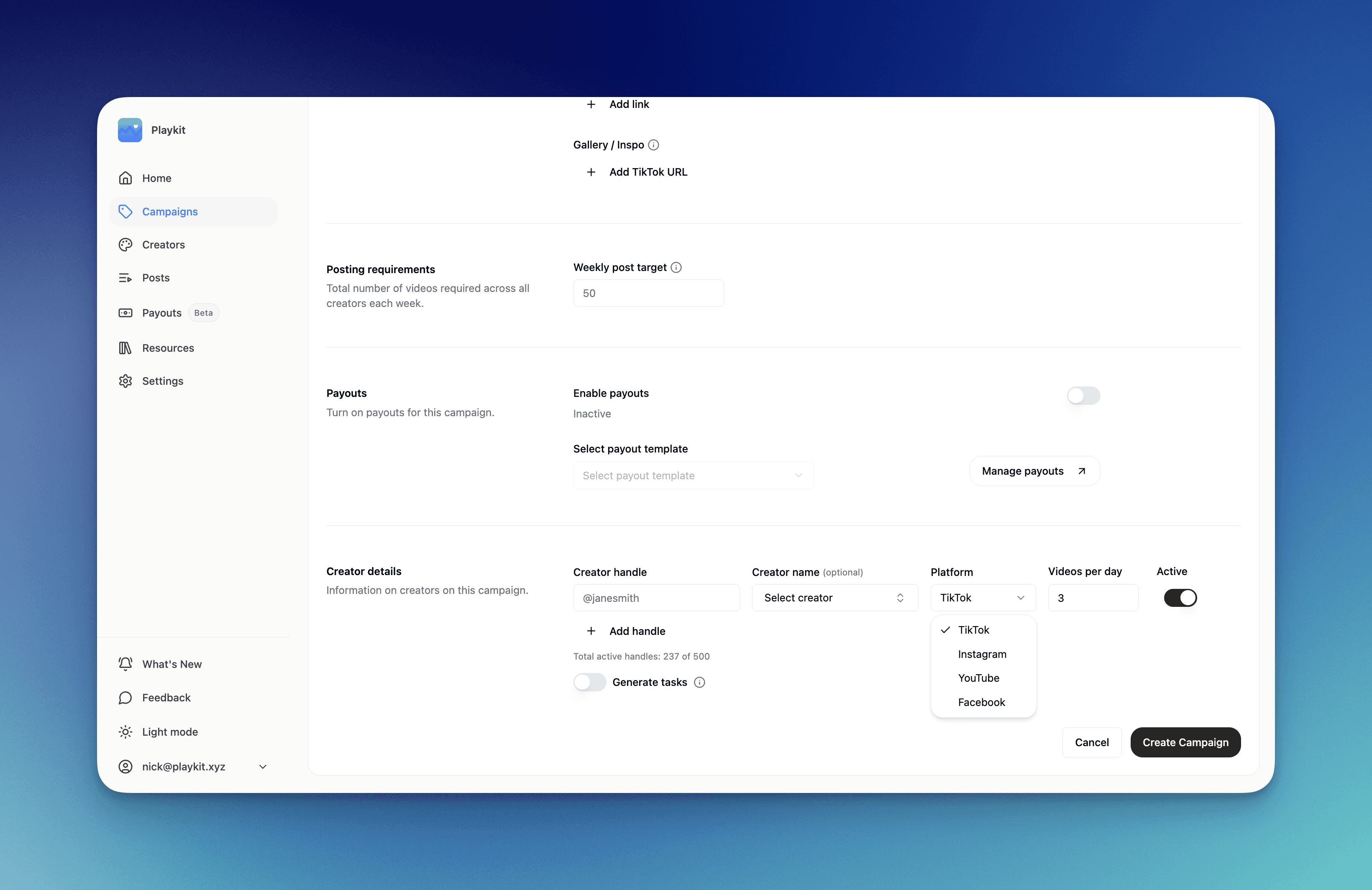
IG + TT + FB + YT Tracking Live
Now supporting Youtube + Facebook tracking.
v1.1.0
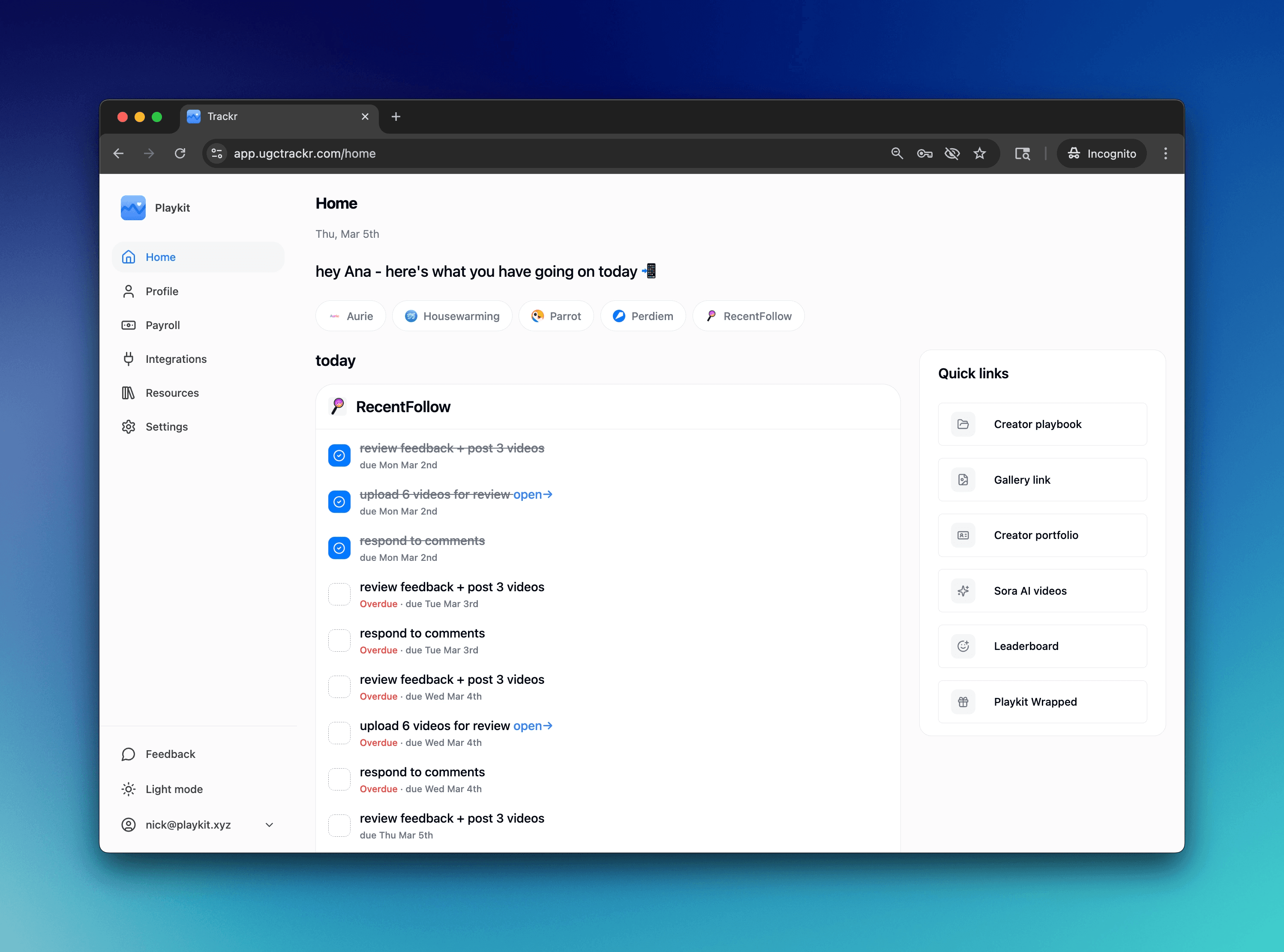
Upload Manager
Creators submit videos directly inside Trackr before anything goes live. Your team reviews, leaves feedback, and approves at the campaign and creator level. Nothing ships unreviewed, and feedback happens in one place instead of scattered across DMs.
v1.0.9
Creator Portal
Every creator on your roster now has their own dashboard. They log in, see their tasks, check their ranking on the leaderboard, and track their pay. They stop messaging you for updates because everything they need is already there.
v1.0.8
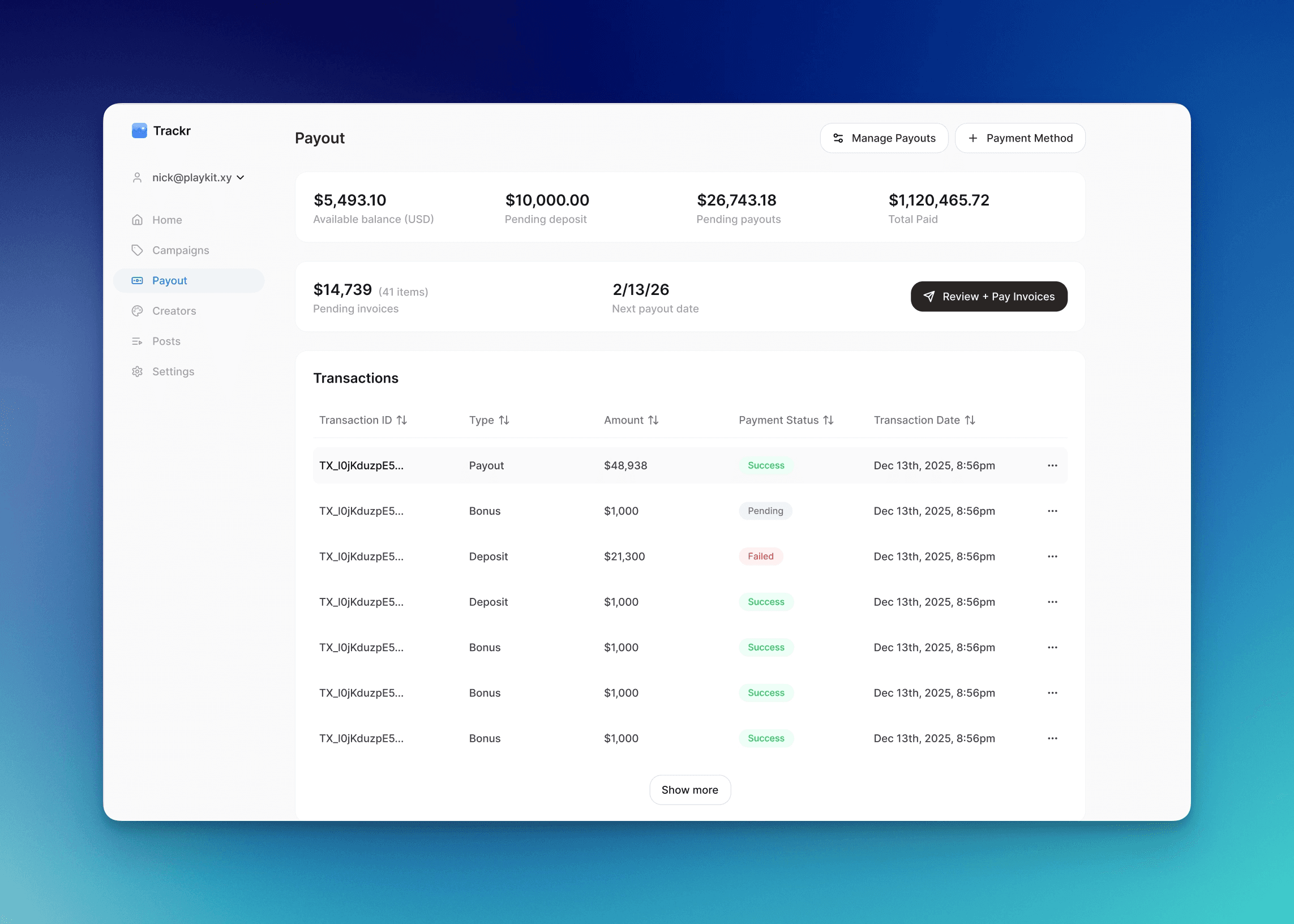
Creator Payouts + 1099s
Payouts now calculate automatically based on performance and send directly to creators. 1099 generation included. No spreadsheets, no manual transfers, no year-end scramble. Book a demo call with us to get started.
v1.0.7
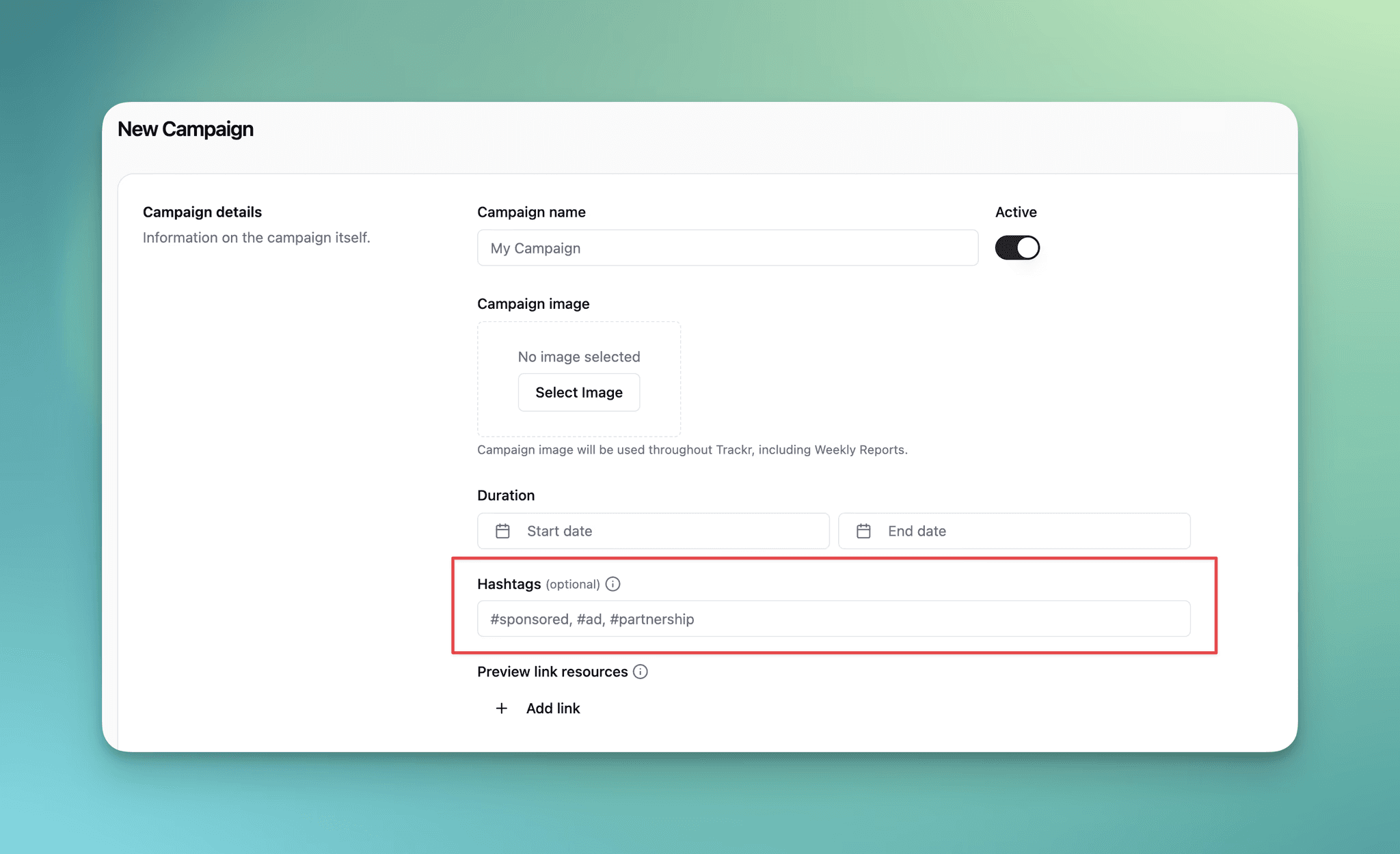
Hashtag Tracking
You can now add optional hashtags when creating or editing campaigns. When hashtags are specified, Trackr will only track posts that contain at least one of those hashtags - keeping your analytics focused on sponsored content.
How it works:
Add hashtags like
#sponsored,#ad,#partnershipwhen setting up your campaignPosts without these hashtags won't appear in your dashboard, reports, or analytics
Leave hashtags blank to track all posts (existing behavior)
v1.0.6
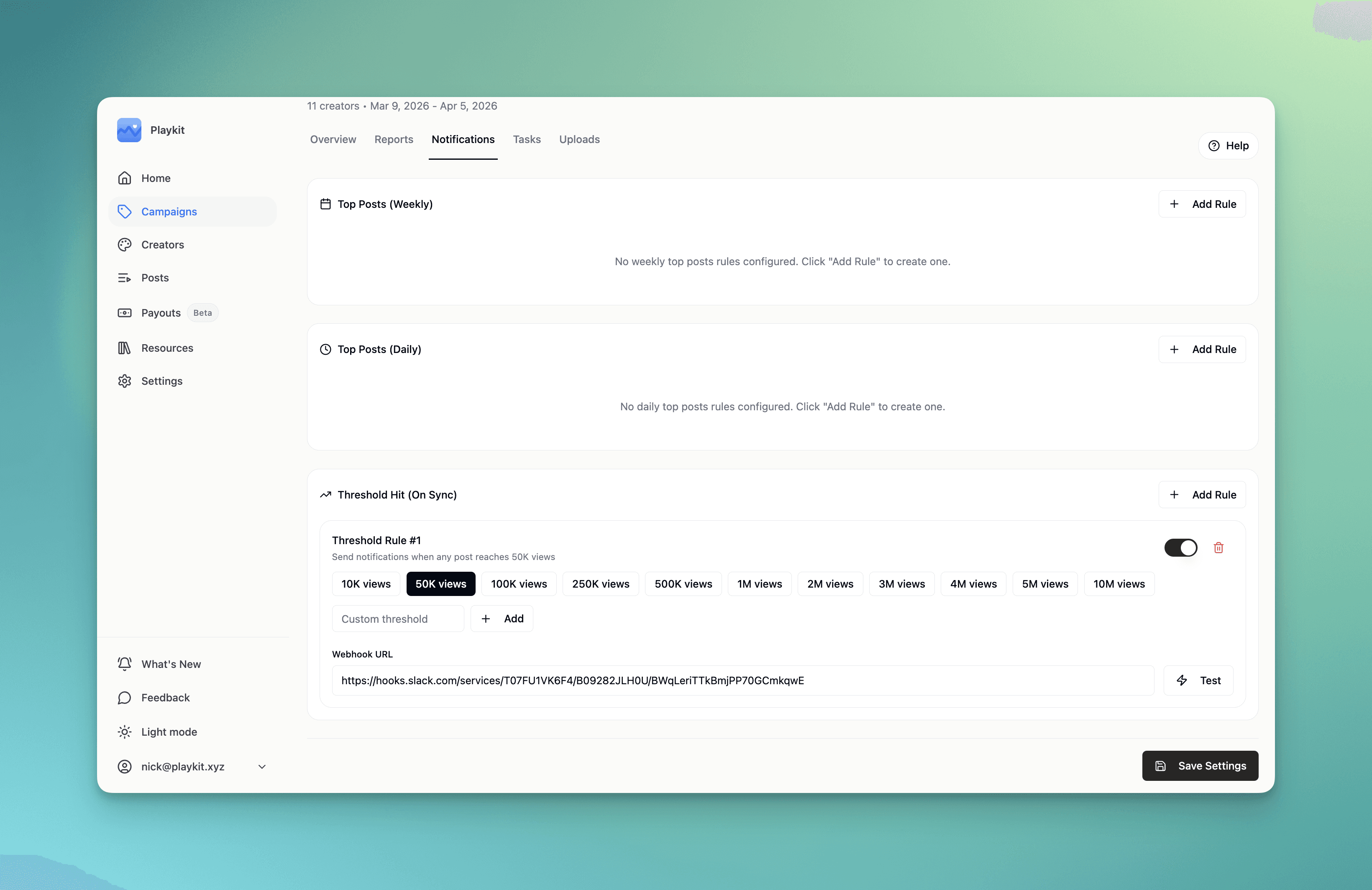
Notifications
Trackr can now send notifications using webhooks! You have complete flexibility in how you set this up - use our simple Slack app guide, Zapier for advanced features, or any other webhook-capable platform.
v1.0.4
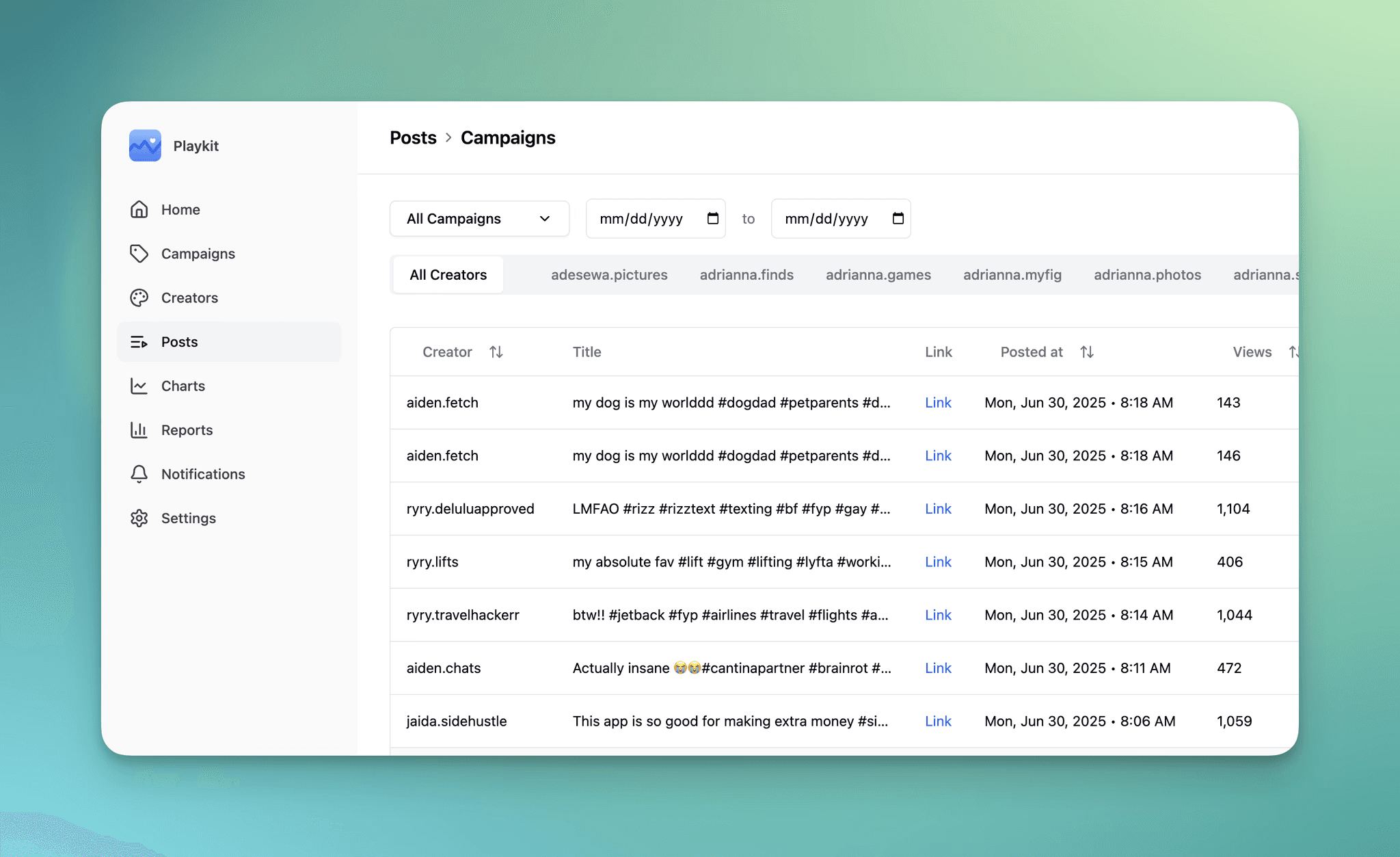
Posts Tab
By popular request, Posts now have their own dedicated tab! While users can view Campaign-level or Creator-level data by first clicking on the Campaigns/Creators tab, you can also just right in through the new dedicated Posts tab:
This update allows you to see your data much more quickly, serving as a one-stop-shop for all campaign data. Feel free to sort on post metrics, update the data range, or flip between Campaign and Creators by using this button in the top right:
v1.0.3
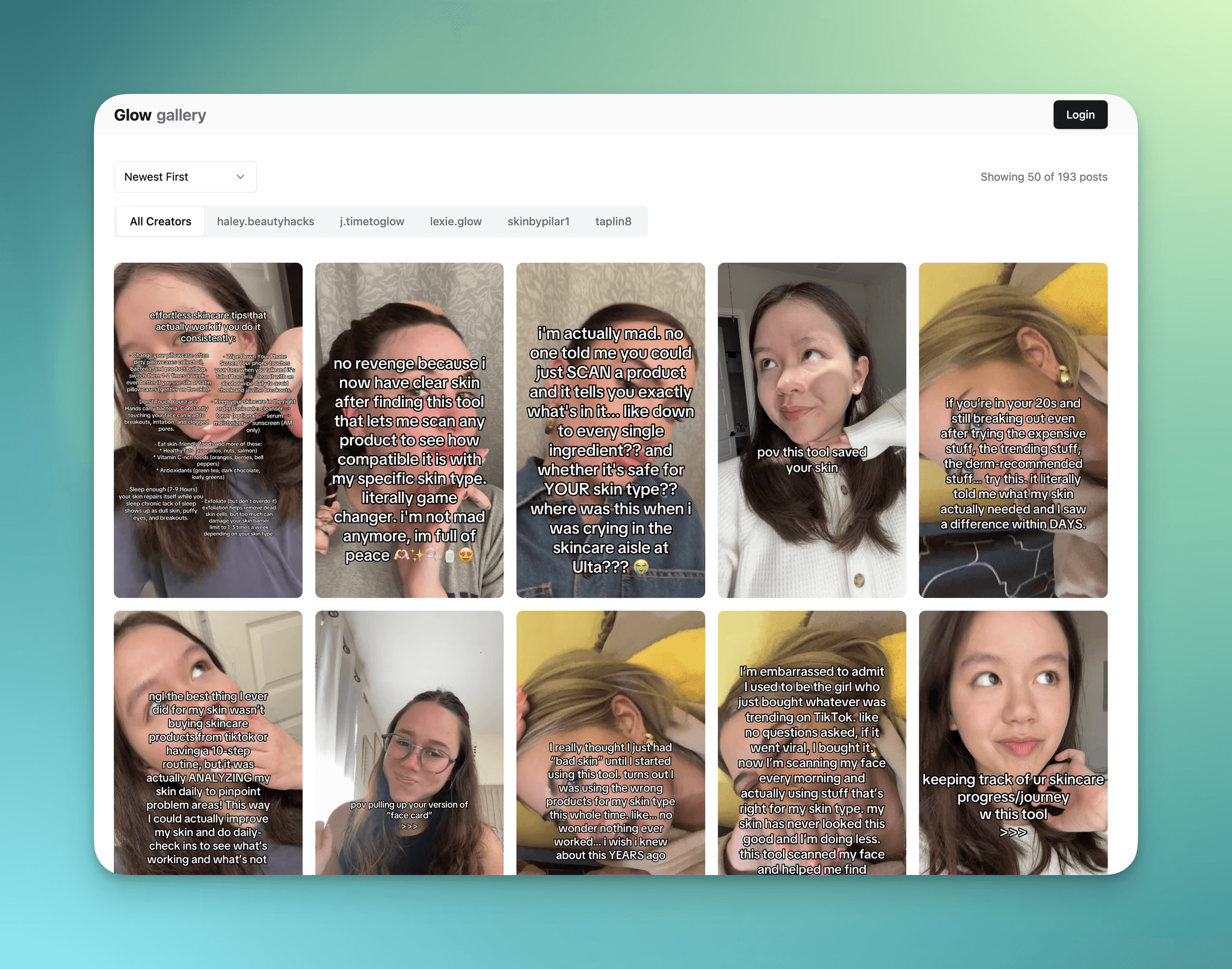
Gallery View
Why did we make this feature?
Gallery view was made with the intention of creating a new view that clearly shows and prioritizes TikTok thumbnails so you can identify the hooks being made. You can sort your saved videos by recently posted, views, likes and comments.
Use cases:
Use it as a new view to easily track your top preforming videos on your campaign
Use it as a collection library to track videos in your niche
Use it as a external link to send to creators for inspiration and have it automatically send digest emails to creators so they can have insights into their video preformace
v1.0.2
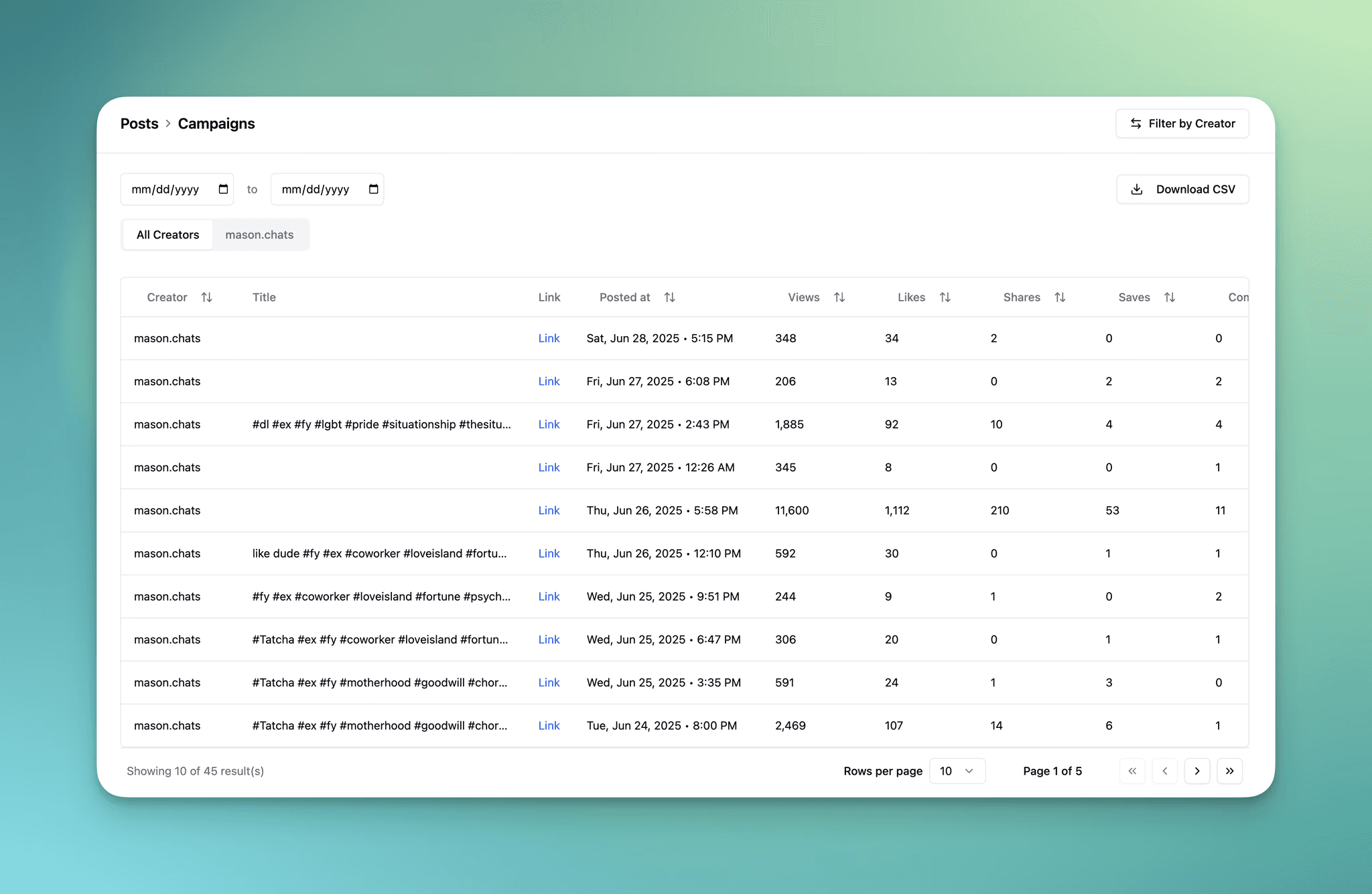
Download to CSV
All users in Trackr can now download post data to CSV! This simple feature is great for exporting data and running your own analysis outside of Trackr.
To download posts to CSV, simply navigate to your posts and select "Download CSV"
Download CSV takes into account all applied filters, which includes selected creators and/or any data range as well.
v1.0.1
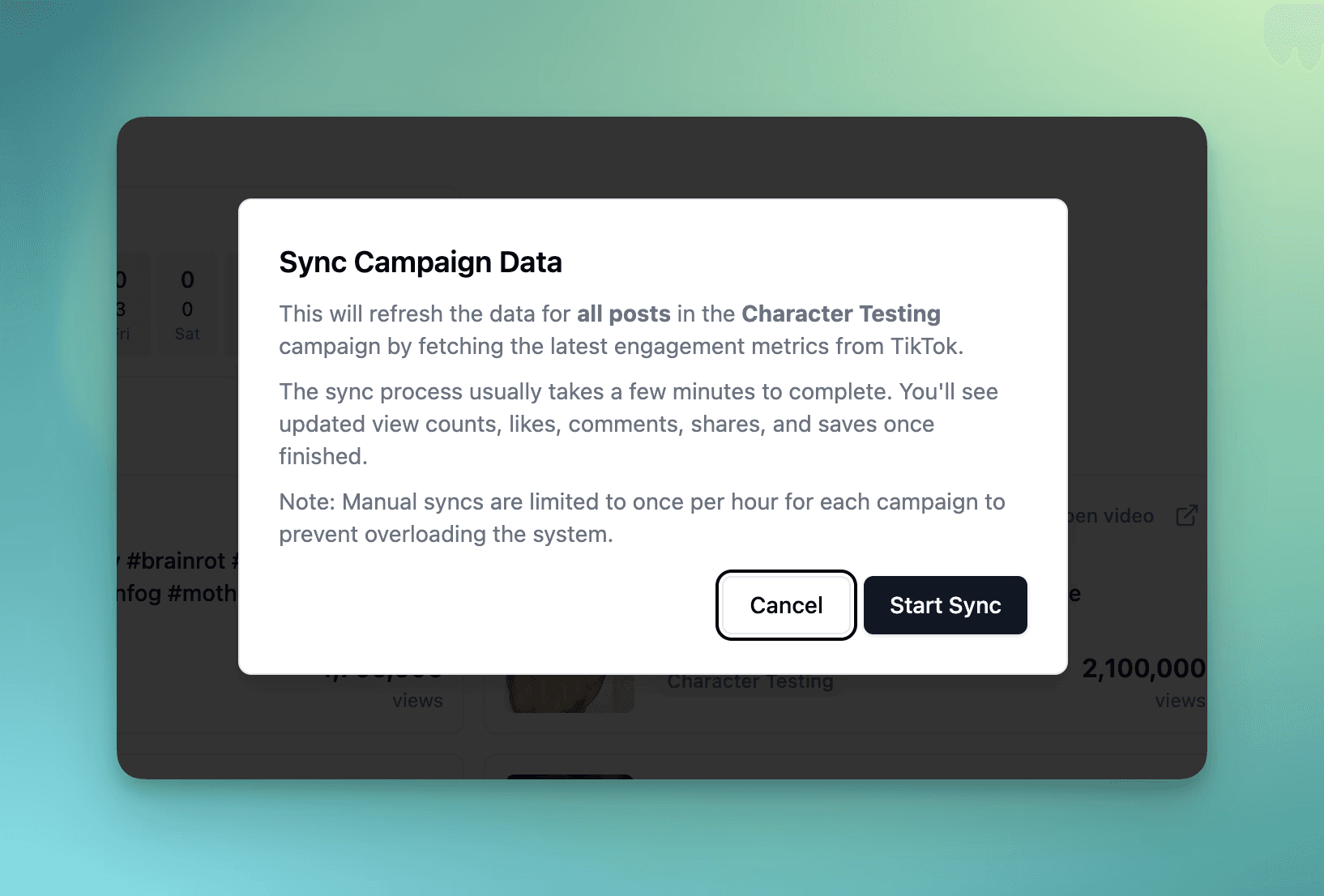
On demand data sync
We often get asked: How come my campaigns only refresh once or twice a day? It's not super helpful to be looking at old data…
So, we answered! Trackr now supports manually refreshes for your campaign data, also called "Sync Data". This option allows you to see the most recent data (like views, likes, comments, etc.) for all posts in a campaign which is great for refreshing when you first login to Trackr.
Note that on-demand data syncs are limited to once per hour for each campaign and typically take 2-3 minutes to complete (sometimes shorter!). These syncs are in addition to the automatic daily/ twice-daily data syncs already running for your campaign.
v1.0.0
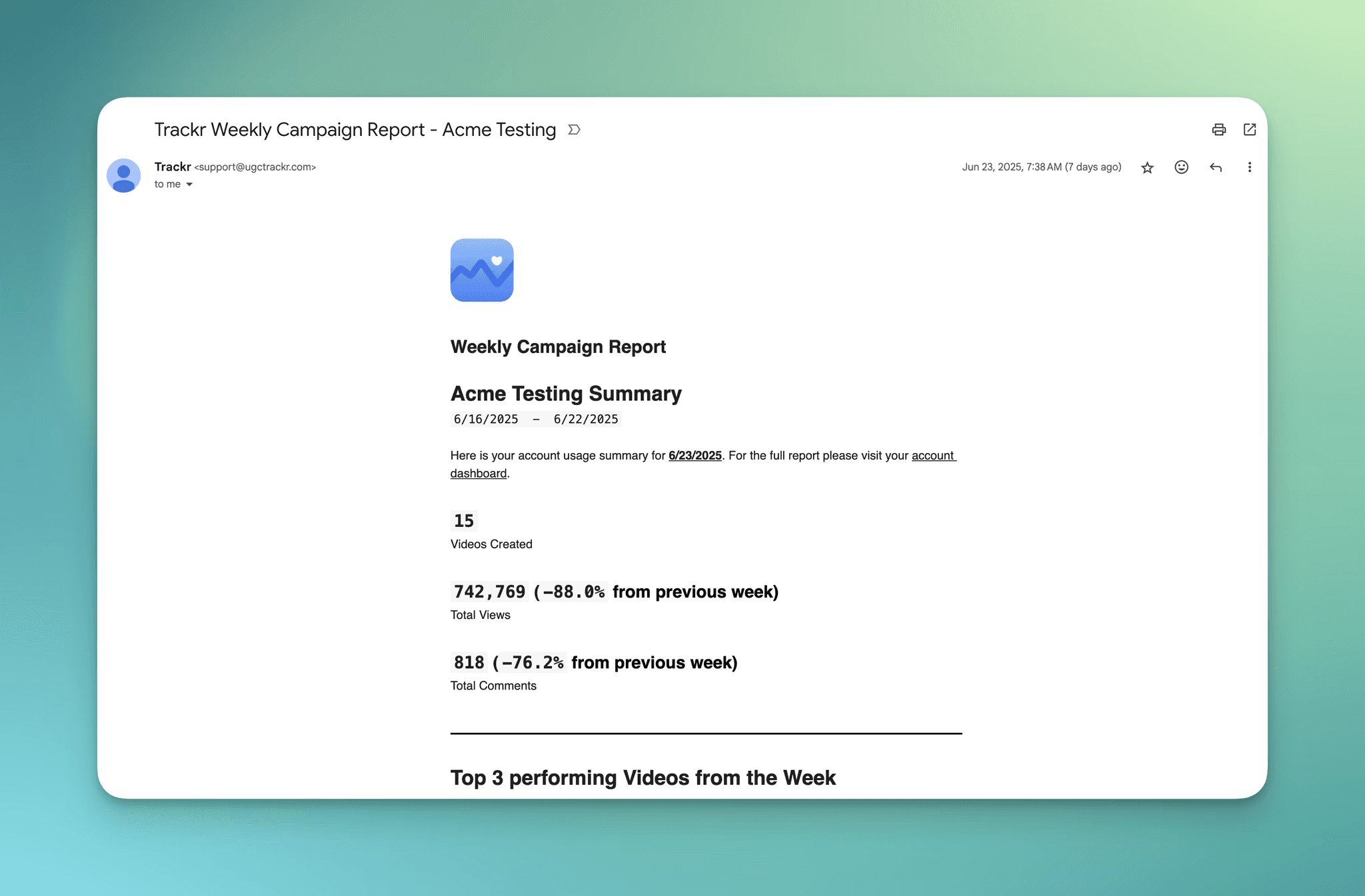
Weekly Reports
This week we enabled the option for users to receive weekly reports on a campaign-by-campaign basis. When enabled, users on each team will receive an email report on Monday morning with the following:
Overall performance from prior week
Top 3 videos from prior week
Total campaign performance
A list of creators involved in that campaign